Back to Blog
Practical guides
Published Oct 9, 2026
Last verified Oct 9, 20268 min read
Transfer Video Motion to a Character Image: A Preparation Guide
Plan a motion-driven character shot using your own image and an authorized reference video.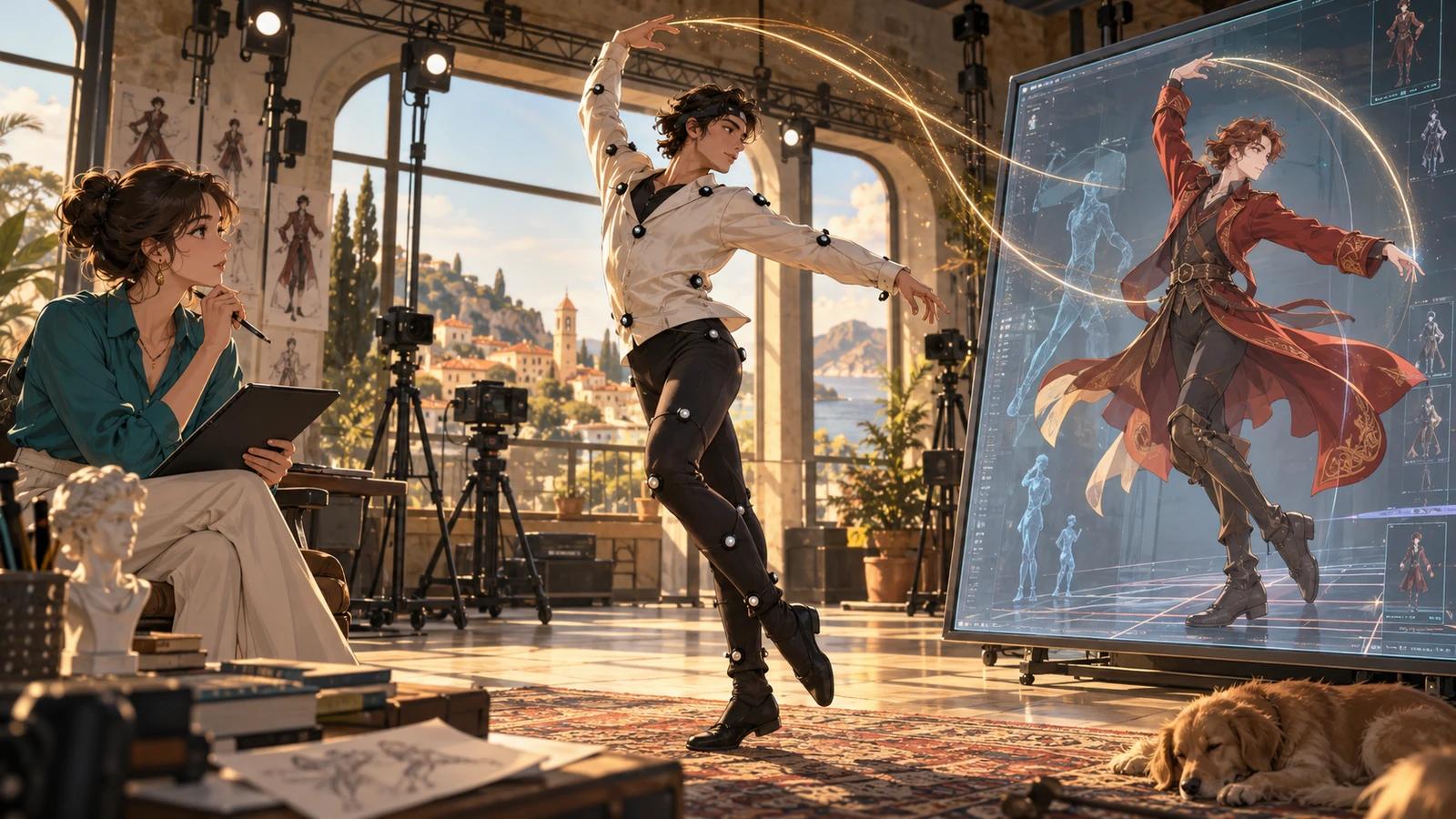
Key takeawayPlan a motion-driven character shot using your own image and an authorized reference video.
You have a character image and a video of the movement you want to use. Wan Animate offers an Animate mode for driving the image character with a video reference. Start by defining the motion you need, preparing both sources and deciding how you will review the result. This guide does not claim a measured success rate or exact movement replication.
Choose motion transfer rather than character replacement
Use Animate when the character image is the appearance reference and the video supplies the movement. Use Replace when your task is to substitute a character inside the reference video. These are different jobs, even though they use the same model. This guide focuses on Animate. A static face replacement is another task and does not establish full-body motion transfer.
Write a short brief: “My character turns toward the camera and raises one hand.” Record what must remain recognizable, such as the outfit, silhouette and visible facial features. Do not make a successful result depend on perfectly reproduced fingers, exact lip synchronization or an unchanged background. Those require checking in the finished output.
Prepare the character image
Use an image you own or have permission to process, including permission to use a real person's likeness where applicable. Choose one clearly visible character. If the planned action uses the whole body, a full-body image gives you a more useful reference to inspect than a tightly cropped face. This is preparation advice, not a promise that missing body detail will be reconstructed.
Check that the source opens correctly, that its important features are visible and that the background does not hide the silhouette. Keep the original image and note its file name. Follow the current uploader's file restrictions. Do not copy limits from an unrelated Wan product or assume that a file accepted by the uploader has passed the model's later checks.
Prepare the movement reference
Use a video you are allowed to process. Review it from beginning to end. Record the motion at the start, the most demanding middle moment and the end. A first review is easier with one visible performer, readable limbs and a continuous shot. Crossed arms, heavy occlusion, quick turns and people entering the frame are useful risks to identify before spending.
Use a reference video longer than 0 and no longer than 30 seconds. The server reads its actual duration before giving a free cost estimate. The reference guides the output length; there is no separate 5/8-second output selector. Do not treat the reference duration as a guarantee of an identical finished length. Keep the original and record its duration, then check the downloaded result. A shorter, simpler source may be easier to review, but does not guarantee exact motion or length.
Check the settings and cost before execution
Open the Playground link below, sign in or register, and complete the access confirmation requested by the interface. Confirm Wan Animate and the Character animation tool. Add the character image and reference video, then explicitly choose Animate. The link selects the model and tool; always inspect the mode shown in the form before submitting.
Choose 480P or 720P, prepare the two sources and request the free estimate before generating. This reads the reference video and current account rate; it does not start a generation or reserve credits. Review the measured reference duration and maximum charge. Confirm that maximum only when the sources, mode and resolution are right. If a source, setting or price changes, or the estimate expires, request a new estimate and confirm it again. The signed estimate lasts 10 minutes. There is no separate requested output duration to select.
The dated public rate is $0.053 per second at 480P and $0.109 at 720P; the current rate in your account takes priority. For illustration, a measured 5.02-second reference costs 5.02 × $0.053 = $0.26606 before rounding at 480P, so the confirmed reserve is $0.27. At 720P, 5.02 × $0.109 = $0.54718, rounded up to $0.55. These are arithmetic examples, not generated tests. Each positive final task charge is also rounded up to whole cents and cannot exceed the confirmed reserve. When reliable output-duration information is shorter, the final calculation uses that shorter duration and releases any unused reserve; for example, 4 seconds at 480P rounds to $0.22, releasing $0.05 from a $0.27 reserve. If reliable duration information is missing, billing uses the measured reference estimate, clearly identified as an estimate, rather than claiming a measured final duration.
Adding funds is separate from the task charge. Sign in or register, check the free estimate, then use the payment options actually offered by your account if you need more balance. Review a fresh estimate after any change before generating. No universal minimum top-up is stated here. A descriptive prompt is optional; briefly describe the desired character and action without treating it as a guarantee.
Inspect the start, middle and end
After a task completes, record its actual duration and dimensions. Compare the planned motion with those three moments. Check whether the character remains recognizable, the direction of movement is usable and hands and limbs remain acceptable. Watch the whole clip for changes between those checkpoints.
Use the worksheet to decide whether to accept the result, revise a specific source, simplify the movement or stop. Do not repeat a paid request solely because the first result was disappointing. Identify one change and a spending limit first. Keep any required audio separately until you have checked the downloaded file. No fixed completion time or audio-preservation promise is made here.
Related resources
Use the Wan Animate model page for current model information, the pricing page for public rates, and the character-consistency guide to prepare an appearance brief across shots.
Public unit rates checked October 9, 2026
| Resolution | Public USD per second | 5.02-second reference: maximum reserve example |
|---|---|---|
| 480P | $0.053 | $0.27 after rounding; arithmetic only |
| 720P | $0.109 | $0.55 after rounding; arithmetic only |
Current account rate and the confirmed estimate take priority. Positive final charges round up to whole cents, stay within the confirmed reserve, and release unused reserve. No paid test was performed for this guide.
Motion-transfer preparation and acceptance worksheet
| Checkpoint | Before execution | After downloading |
|---|---|---|
| Rights and sources | Image/video permissions; original files kept | Output file and task ID |
| Character appearance | Outfit, silhouette and three identifying details | Recognizable at start/middle/end? |
| Source movement | Start pose, peak movement, end pose | Direction and main action usable? |
| Occlusion | Crossed limbs, hidden hands, turns, extra people | Unexpected body parts or lost detail? |
| Framing | Visible body area and intended delivery framing | Clipping, unwanted crop or changed composition? |
| Reference length, reserve and final charge | Measured reference duration; selected mode/resolution; confirmed maximum | Actual output length; recorded charge; unused reserve released; measured duration or estimate identified |
| Decision | One acceptable outcome and personal spending cap | Accept / revise image / revise video / stop, with reason |
Frequently asked questions
Does Animate put my character into the original scene?
Animate is the motion-transfer choice. For character substitution inside a reference video, use Replace and review the scene separately. Neither is a guarantee that every background detail stays unchanged.
What sources do I need?
One character image and one authorized motion video. Use sources that open correctly and follow the current uploader limits.
How long can the reference video be?
Longer than 0 and no longer than 30 seconds. The server measures it for the free estimate. The output follows the reference, but an identical finished length is not guaranteed; check the download.
How do I confirm duration and the maximum charge?
Request the free estimate for the prepared sources, mode and resolution. There is no 5/8-second output control. Confirm the measured reference duration and maximum reserve before generating. Positive final charges round up to whole cents and cannot exceed that reserve. Unused reserve is released; missing reliable duration information uses the clearly identified reference estimate.
Can I use 1080P or submit a separate audio track?
This route currently lists 480P and 720P. It does not accept separate audio options. Keep needed audio in your editor and inspect the downloaded output.
Is this free or already tested by this guide?
No. Execution is paid. This guide contains preparation and review instructions, not a new generated sample, quality test or fixed-speed claim.